Email Extractor - Extract Emails from Text and HTML
Extract email addresses from raw text, HTML code, and mailto links with instant domain filtering.
🔒 Data Safety: We process everything securely and never store or share it.
How to Use
- Paste your raw text or HTML code into the input box above, or click "Sample" to test.
- Set your duplicate removal, sorting, separator, or domain filter options below the input box.
- Use the Copy or Download buttons above the output box to get your extracted emails.
Options Explained
- Remove Duplicates: Keep only one copy of each email address, ignoring capital letters.
- Sort Alphabetically: Sort your extracted email list in alphabetical order from A to Z.
- Separator: Choose how to separate each email (New Line, Comma, or Semicolon).
- Filter Domain: Enter a domain name (like gmail.com) to show only matching emails.
Key Features
- Extract email addresses instantly from raw text, HTML source code, and mailto links.
- Ignore false matches from retina image names (like @2x.png) and code strings automatically.
- Remove duplicate addresses cleanly with case-insensitive matching while keeping original letter casing.
- Filter extracted emails by exact domain name or subdomain in real time.
- Support international email addresses, accented characters, long domain extensions, and country domains.
- Format output lists with newline, comma, or semicolon separators for spreadsheets and mailing tools.
About This Online Email Extractor
This email extractor pulls valid email addresses from raw text, HTML code, mailto links, and server logs. It skips retina image names like @2x.png, decodes HTML characters, and filters addresses by domain in your browser.
Developed and maintained by the PU Tools team, this tool gives you fast, accurate, safe, and easy results in just a few clicks.
Common Use Cases
- Marketers: Collect clean email lists from web pages or contact forms.
- Developers: Extract contact emails from source code, database dumps, or logs.
- Everyday Users: Extract email addresses from long messages and remove duplicate entries.
Example Input and Output
Example Input
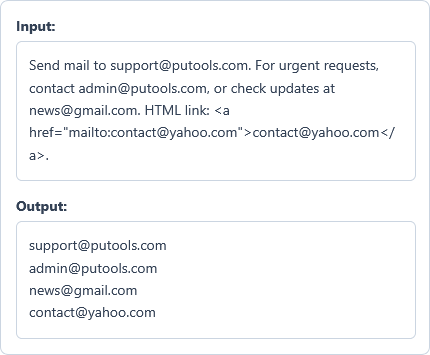
Send mail to support@putools.com. For urgent requests, contact admin@putools.com, or check updates at news@gmail.com. HTML link: <a href="mailto:contact@yahoo.com">contact@yahoo.com</a>.
Options used: Remove Duplicates: ON | Sort Alphabetically: OFF | Separator: New Line | Filter Domain: OFF
Example Output
support@putools.com
admin@putools.com
news@gmail.com
contact@yahoo.com
The tool extracts all four unique email addresses from the text and mailto link onto new lines.
Frequently Asked Questions
Does this tool ignore image names like hero@2x.png?
Yes. The extractor automatically skips retina image names (like @2x.png) and code strings to return only real emails.
Is my text sent to any server during extraction?
No, all email extraction happens locally inside your web browser memory. Your raw text and extracted email lists never leave your computer.
Can it extract emails from HTML code?
Yes. Paste raw HTML code or web page source into the box. The tool extracts all valid emails and ignores HTML tags.
Does it support new and long domain extensions?
Yes. The tool supports all modern domain extensions, including long endings like .photography and country domains.
How does duplicate removal work?
The Remove Duplicates option compares email addresses without case sensitivity. For example, Support@putools.com and support@putools.com count as one single email address.
How do I filter by domain or subdomain?
Type any target domain name into the Filter Domain box above. The tool only shows emails matching that domain or its subdomains.