Base64 Encoder - Convert Plain Text to Base64
Encode plain UTF-8 text and multi-line strings into a single Base64 output with URL-safe and MIME options.
To encode each line as a separate Base64 string, open our Bulk Base64 Encoder for batch processing.
🔒 Data Safety: We process everything securely and never store or share it.
How to Use
- Type or paste your plain text into the input box above, or click "Sample" for demo text.
- Check any Base64 formatting options below the text box to customize your output format.
- Click "Encode" to convert your entire text input into a Base64 string.
- Use the "Copy" or "Download" buttons above the result box to save your Base64 string.
Options Explained
- URL-Safe (- and _): Replace standard + and / characters with - and _ (RFC 4648) for URLs, query parameters, and JWTs.
- Omit Padding (=): Remove trailing = padding characters from your Base64 string for compact tokens and URL parameters.
- MIME Line Wrap (76 chars): Split the encoded Base64 string into 76-character lines according to RFC 2045 for email and PEM payloads.
Key Features
- Encode single-line or multi-line plain text into one continuous Base64 string with normalized line breaks.
- Convert standard Base64 symbols into URL-safe - and _ characters (RFC 4648) for web links and JWTs.
- Remove trailing = padding characters on demand to generate compact Base64 tokens for headers and URLs.
- Format long Base64 strings into 76-character lines according to MIME RFC 2045 for email and PEM payloads.
- Support full UTF-8 byte encoding for accented characters, CJK, Arabic, Cyrillic scripts, and emojis.
- Run all encoding operations inside your web browser memory without sending or storing data on any server.
About This Online Base64 Encoder
This Base64 encoder converts plain UTF-8 text and multi-line strings into standard RFC 4648 or URL-safe Base64 output. It encodes multi-byte characters in your browser and offers toggles for padding removal and 76-character MIME wrapping.
Developed and maintained by the PU Tools team, this tool gives you fast, accurate, safe, and easy results in just a few clicks.
Common Use Cases
- HTTP Basic Auth and API Tokens: Encode username:password credentials, JSON objects, and bearer strings for HTTP Authorization headers and REST API requests.
- URL Parameters and Webhooks: Generate URL-safe Base64 strings without padding to pass structured data through query strings, routing paths, and webhooks.
- MIME Email and PEM Formatting: Wrap encoded text at 76 characters per line to build RFC 2045 email bodies and PEM certificate blocks.
Example Input and Output
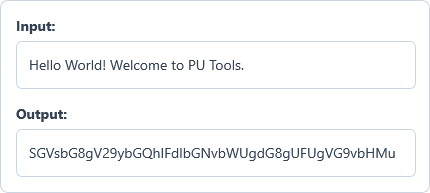
Example Input
Hello World! Welcome to PU Tools.
Options used: URL-Safe (- and _): OFF | Omit Padding (=): OFF | MIME Line Wrap (76 chars): OFF
Example Output
SGVsbG8gV29ybGQhIFdlbGNvbWUgdG8gUFUgVG9vbHMu
The encoder converts the UTF-8 plain text string into its standard RFC 4648 Base64 representation.
Frequently Asked Questions
How is this encoder different from the Bulk Base64 Encoder?
This tool encodes your entire text input, including line breaks, into one single Base64 string. The Bulk Base64 Encoder treats every line independently and generates a separate Base64 output per row.
When should I enable URL-Safe (- and _) and Omit Padding (=)?
Enable both options when embedding Base64 strings inside web URLs, query parameters, or JSON Web Tokens (JWT). Replacing + and / with - and _ and stripping = prevents URL parsers from breaking your string.
What does the MIME Line Wrap (76 chars) option do?
It inserts a newline after every 76 characters in your Base64 output according to RFC 2045. This line wrapping format is required for MIME email bodies and standard PEM certificate blocks.
How does this tool handle accented letters, CJK scripts, and emojis?
The encoder converts your text into a UTF-8 byte array before applying the Base64 encoding algorithm. This multi-byte approach preserves accented characters, non-Latin scripts, and emojis without throwing character range errors.
Why does my encoded Base64 string end with = or == symbols?
Base64 processes input bytes in 3-byte groups and maps them into 4-character text blocks. When your input length is not divisible by 3 bytes, trailing = signs pad the final block.
Does this Base64 encoder send or store my text on a server?
No, all Base64 encoding runs completely inside your web browser memory on your own device. Your plain text and encoded strings never travel over the network to any external server.
What happens when I encode an empty text box?
Encoding an empty text string is valid under RFC 4648 and produces an empty Base64 output.